Install RAYMOU on your phone
Add the store to your home screen for quick access.
Add the store to your home screen and open it using the RAYMOU icon; no App Store or Google Play download is needed.
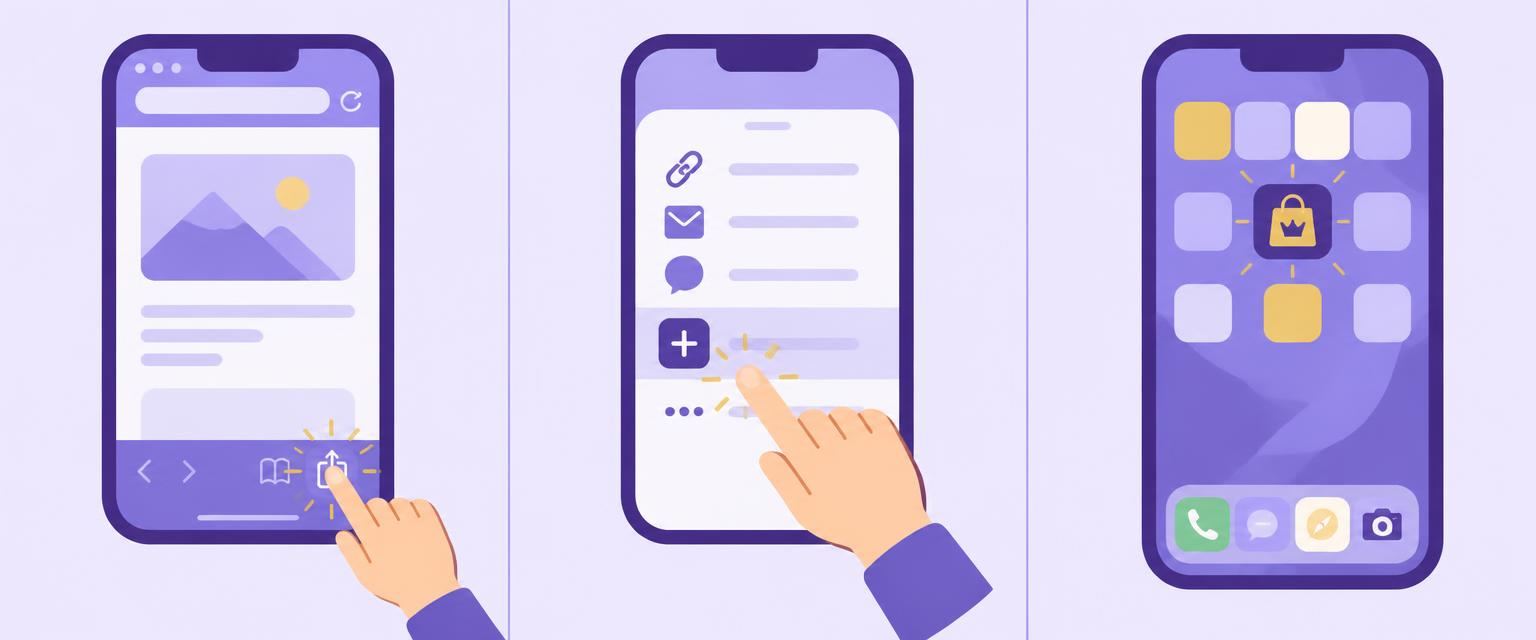
- 1
Open raymou.online in Safari, then tap Share ↑.
- 2
Scroll in the share menu and choose “Add to Home Screen”.
- 3
Keep the name RAYMOU and tap “Add”, then open it from your home screen.
If opened inside another app, first open the site in Safari or Chrome. Purchases and order updates need an internet connection.
Video guide
The video is not available yet; follow the illustrated steps above.